Halloween Crow SVG Layered File: Creating Dark Elegance Without the Headaches
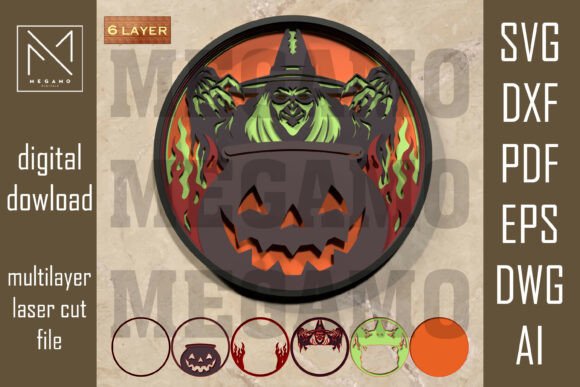
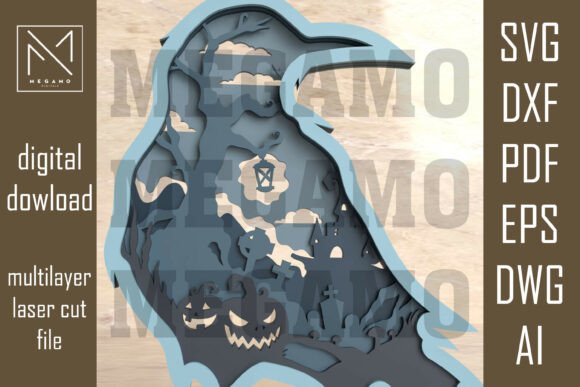
There is a distinct difference between a flat, generic cutout and a piece of art that commands attention. The Halloween Crow SVG Layered File by MEGAMO represents the latter. It captures the dark elegance of the season by embedding a spooky scene—complete with jack-o'-lanterns, haunted trees, tombstones, and bats—directly inside the silhouette of a crow. This isn't just a shape; it is a complex, multi-layered design intended for 3D wall signs or dramatic tabletop centerpieces. However, owning the file is only half the battle. Many creators rush into the cutting process without understanding the specific constraints of layered designs, leading to wasted materials, machine errors, and a final product that lacks the intended depth.
If you are looking to elevate your Halloween décor or launch a line of seasonal products, this guide will help you navigate the technical nuances of this specific design. We will move beyond the hype and focus on practical execution, ensuring your laser-cutting project succeeds on the first try.
Understanding the Design Complexity
The appeal of the Halloween Crow SVG Layered File lies in its intricacy. Unlike single-layer silhouettes where the entire shape is cut from one sheet, this design relies on multiple layers stacked to create a window-like effect. When light hits the finished piece, the internal details glow through the crow's body, creating a haunting atmosphere. This makes it ideal for enthusiasts using Glowforge, xTool, or similar laser-cutting machines who want to produce professional-grade results.
However, complexity brings risk. A common misunderstanding among beginners is assuming that all SVG files function identically regardless of their layer count. In reality, a layered file requires precise nesting and alignment. If you treat this file like a simple cut-and-throw-together project, you may end up with pieces that do not fit together correctly or layers that shift during assembly. The result is a wobbly sign that loses its premium feel.
Common Mistakes That Ruin Layered Projects
To achieve the best results, you must avoid several pitfalls that frequently plague laser cutting projects involving intricate patterns.
Ignoring Material Thickness Constraints
The most critical specification for this design is the material thickness. The Halloween Crow SVG Layered File is specifically engineered for 3mm thick wood. Using thicker material, such as 5mm or 6mm plywood, can cause significant issues. The kerf (the width of the material removed by the laser) becomes more pronounced, potentially causing the inner layers to be too loose or the outer frame to be too tight. Conversely, using thinner material might make the layers fragile and prone to breaking during weeding or assembly.
Practical Advice: Before purchasing any wood, verify the actual thickness with a caliper. Do not rely solely on the label "3mm," as wood can vary slightly due to humidity or manufacturing tolerances. Stick strictly to 3mm basswood or birch plywood for the cleanest cuts and the most accurate fit.
Overlooking File Preparation and Sorting
Another frequent error is importing the ZIP file directly into the cutting software without checking the organization. While the MEGAMO files are sorted and labeled clearly, users often miss the need to group layers logically within their cutting interface. If you send a job with hundreds of tiny bat shapes and large crow outlines mixed randomly, the laser head will travel inefficiently across the bed, increasing burn marks and cutting time.
This inefficiency affects both cost and quality. Excessive beam movement increases the chance of misalignment if the machine vibrates. Furthermore, ungrouped small parts can easily get lost in the debris tray after cutting. Always take the time to organize your layers in the software before hitting "cut." Group identical pieces together to minimize head travel and ensure you can identify every component immediately after the job finishes.
Misinterpreting Scalability Limits
Many digital downloads advertise "scalable" dimensions, leading users to believe they can resize the design infinitely. While the Halloween Crow SVG Layered File is scalable, there are physical limits. Scaling the design down too much renders the internal details—like the eyes of the jack-o'-lanterns or the texture of the tombstones—indistinguishable. They become solid blobs rather than intricate details. Scaling it up too much can exceed the bed size of your machine or require larger sheets of wood that introduce warping risks.
Better Approach: Determine your desired final output size first. Then, scale the file within a reasonable range, typically between 80% and 150% of the default size. Test a small section of the design at your chosen scale to ensure the smallest details remain crisp and cuttable.
Evaluating Your Workflow Before You Cut
Before you commit to a full production run, you should evaluate your workflow against the specific requirements of this digital product. Since this is a digital download, no physical item will be shipped. You receive a ZIP folder containing DXF, DWG, AI, SVG, EPS, and PDF formats. This variety is a strength, but it requires you to know which format your software handles best.
For instance, if you use Glowforge Design Space, the SVG or DXF formats are usually the most reliable. Adobe Illustrator users will prefer the AI or EPS files to maintain vector integrity. Attempting to open an incompatible file type can lead to broken paths or missing layers, forcing you to spend hours troubleshooting instead of creating.
Additionally, check your file for watermarks. Reputable sellers provide clean files, but it is wise to preview the downloaded version before starting any paid machine time. Ensure that the lines are continuous and that there are no stray artifacts from the preview image embedded in the vector data. Clean files mean fewer errors and a smoother cutting experience.
Maximizing Quality and Satisfaction
Avoiding these mistakes transforms a potentially frustrating hobbyist project into a satisfying creative endeavor. By respecting the 3mm material constraint, organizing your layers efficiently, and scaling responsibly, you ensure that the final Halloween Crow SVG Layered File project looks exactly as intended: a dark, elegant centerpiece that showcases the beauty of laser-cut craftsmanship.
Whether you are a small business owner looking to stock shelves for the holiday season or a hobbyist decorating your home, the key to success lies in preparation. Take the time to understand the file structure, choose the right wood, and test your settings. These small steps prevent costly errors and ensure that your spooky scene shines with the precision it deserves. With the right approach, this design becomes a staple in your portfolio, proving that attention to detail is the true secret to a perfect Halloween display.